Free Printable Cornell Notes Template
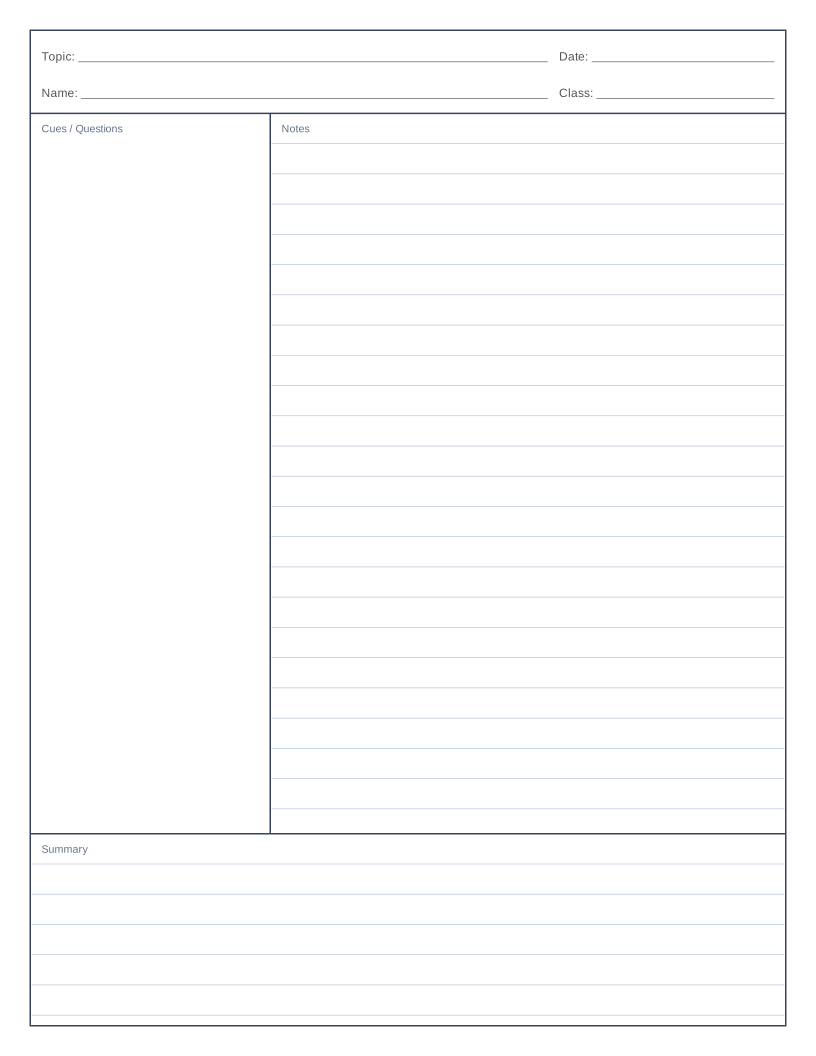
A ready-made Cornell page with a cue column, notes area and summary box. Adjust the proportions and print.
Ready-to-print cornell notes PDFs
Want a one-click download? These PDFs use the preset settings, with a 10 mm margin, and print at actual size.
About cornell notes
The Cornell method splits a page into three parts: a narrow cue column on the left, a wide notes area on the right and a summary box along the bottom. You take notes on the right during a lecture or while reading, add keywords and questions in the cue column afterwards, and finish by summarising the page in your own words.
This template follows the traditional proportions, with a cue column about 63.5 mm (2.5 in) wide and a summary box about 50.8 mm (2 in) tall. Both are adjustable, as are the line spacing in the notes area and the optional topic, date, name and class heading at the top.
The method was developed by Walter Pauk, an education professor at Cornell University, in the 1950s, and it is still widely taught as a way to make notes easier to review.
What you can use it for
- Lecture and textbook notes
- Meeting notes with action items in the cue column
- Exam revision, using the cue column as prompts
- Research reading logs
- Teaching note-taking skills in class
The options explained
- Cue column width. Width of the left column for keywords and questions.
- Summary box height. Height of the bottom box where you summarise the page.
- Topic and date heading. Adds Topic, Date, Name and Class lines above the notes.
- Print section labels. Prints small Cues / Questions, Notes and Summary captions. Turn off for a cleaner page.
- Line spacing in notes area. Spacing of the ruled lines. Set to 0 for a blank notes area that suits sketches and diagrams.
Printing tips
- Take notes in the right column during class, then add cues soon afterwards while the material is fresh.
- Cover the notes column and use the cues to test yourself.
- Write the summary last, in your own words, in two or three sentences.
For more detail, read the guide to printing paper at home.
Frequently asked questions
How do I use a Cornell notes template?
Write the topic and date, take notes in the large right-hand section, add keywords or questions to the left column after the lesson, and write a short summary in the bottom box.
What size should the Cornell sections be?
The classic layout uses a 2.5 in cue column and a 2 in summary box on letter paper. Those are the defaults here.
Can I print Cornell notes in landscape?
Yes. Change Orientation to Landscape and the template is redrawn to fit.
Can I get a Cornell template without lines?
Click the Blank notes area preset, or set the line spacing to 0.